
Linkedin Guidelines
Go to the Company page for all posts https://www.linkedin.com/company/1175621/admin/ or to the specific post link, if provided (as shown below in step 1):
How to Like and Share posts (5 steps):
1. Click on the post link: https://www.linkedin.com/feed/update/urn:li:activity:6511968605385687040
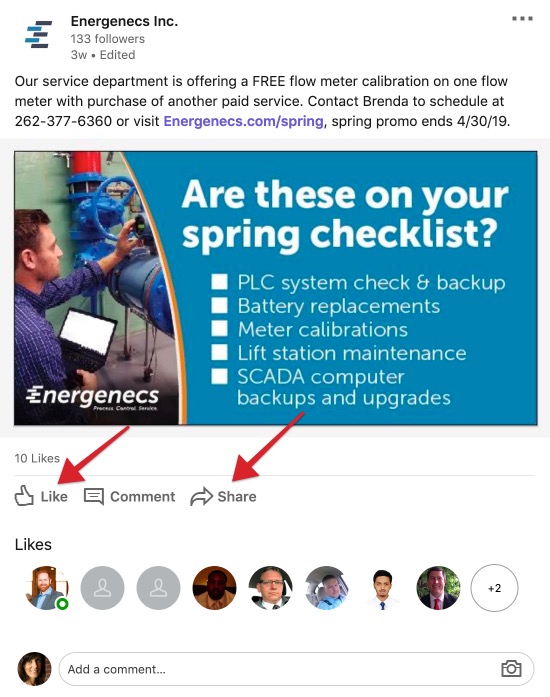
2. Click on Like to pass along approval of the post, which can increase visibility on Linkedin.
3. Click on Share to add the post to your personal feed, which can increase visibility by displaying the post to your network of followers.
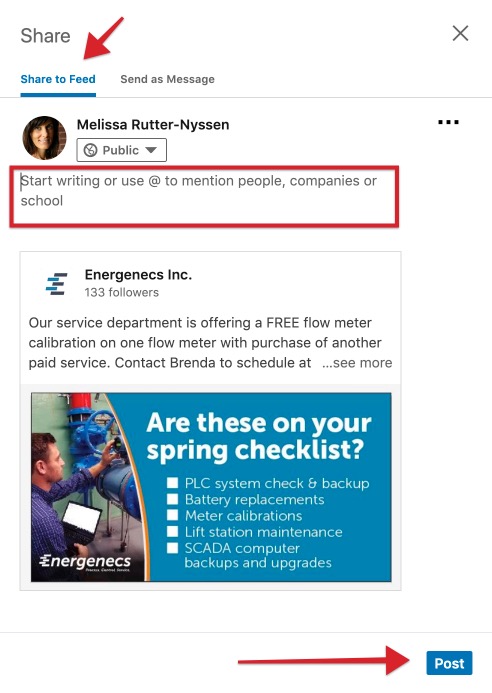
4. (optional) Add a meaningful comment* or question in the “Start writing…” area shown in the red box, if possible. Engaging readers will increase visibility in Linkedin.
5. Click on the blue Post button on the bottom right corner when finished.
*Examples of meaningful comments are: